
An accidental edit in Word can usually be reversed with Ctrl+Z on Windows. Press it once and inspect the document before going further. Saving does not automatically make an earlier edit impossible to undo.
If Word no longer offers the needed action, check for a retained document version. Undo works with recent editing history; restoring a version uses a separate saved copy.
Reverse the edit while the document is open
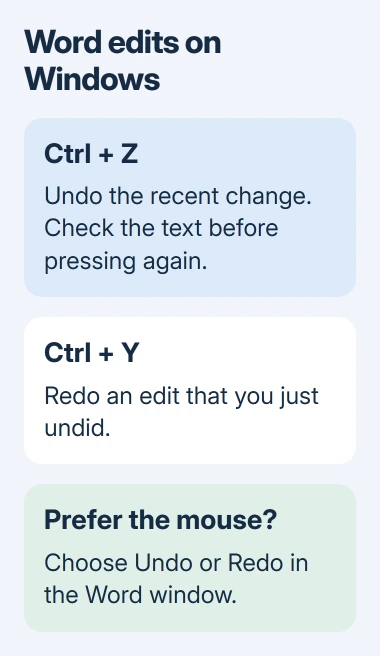
Return to the Word document where the mistake occurred. Press Ctrl+Z, or select Undo on the Quick Access Toolbar near the top of desktop Word. Look for the removed text or previous formatting to return.
Microsoft documents the toolbar and keyboard choices in its Undo instructions. Further presses reverse additional available actions, so check the result each time.
Status: Word for Windows, Mac and the web checked against Microsoft's current command documentation on November 3, 2026. No document was edited or restored here.
For example, typing after selecting all document text can replace the selection. Use Undo immediately if that was accidental, then confirm the original paragraphs are back before typing again.
Undo several changes or put one back
Desktop Word's menu beside Undo lists available actions. Review that list before reversing several changes together. For a document with useful edits mixed among mistakes, reversing one action at a time is easier to check.
If an undo removes something wanted, use Ctrl+Y or Redo to put it back. Microsoft says Redo becomes available after an undo. The related Repeat command performs a supported action again, such as another paste.
After reversing an overly broad text replacement, limit Word's next replacement operation before retrying it. Recovering the wording does not correct the search choices that changed it.
Use the controls for Mac or Word in a browser
In Word for Mac, Command+Z reverses an edit and Command+Y reapplies an undone action. Microsoft's Word shortcut reference lists both.
For Word for the web on Windows, use Ctrl+Z and Ctrl+Y while editing the document. The ribbon buttons provide another route if a browser or keyboard handles a shortcut differently.
Keep the intended document active. A keypress made while entering text in another field is not a reliable check of whether Word can restore the document edit.
Inspect a saved version if the edit is unavailable
Microsoft states that some commands cannot be undone, including saving itself. This differs from undoing an earlier text edit after saving. An unavailable Undo may be dimmed or labeled Can't Undo.
For a document in OneDrive or SharePoint Online, open File > Info in Word for Windows and select Version History when offered. Choose a version to inspect before deciding whether it contains the wanted text.
Microsoft's version-restoration guide then uses Restore to make that version current.
Preserve any newer work that must survive before restoring the whole document. A version containing the missing paragraph may also predate other changes you want to keep; compare the content and coordinate with coauthors first.
If neither an undoable action nor an earlier copy remains, ask the document owner or IT about backups. Repeated Undo presses cannot recover a version Word never retained, and a keyboard repair cannot recreate missing editing history.
The Short Version
Reverse the mistaken edit once, inspect the content, and use Redo if necessary. Mac Word uses Command instead of Ctrl for these shortcuts. When the edit is no longer available, inspect retained versions before restoring one.

Isaac Smith is the founder and editor of PC Glance, a website that covers computers, laptops, and technology. He is a tech enthusiast and a computer geek who loves to share his insights and help his readers make smart choices when buying tech gadgets or laptops. He is always curious and updated about the latest tech trends.