A cracked Samsung Galaxy Watch Active screen needs replacing; a restart won't fix the glass. Check whether you have the original Active or an Active2, then get a repair quote or choose a screen assembly that fits.
An unbroken screen that stops responding may just be frozen. Try the restart in the first section before ordering a display, since a frozen watch can look like a failed touchscreen.
In this guide
1. Separate a frozen screen from physical damage
Look at the watch without pressing the glass. Cracks, a lifted display and a normal-looking screen that ignores taps are different problems. Tell the repairer which one you have, including whether the watch still vibrates or shows an image.
For an intact, dry watch, Samsung recommends a forced reboot for an unresponsive screen. Hold both buttons until Rebooting… appears, then let the watch restart and try a swipe.
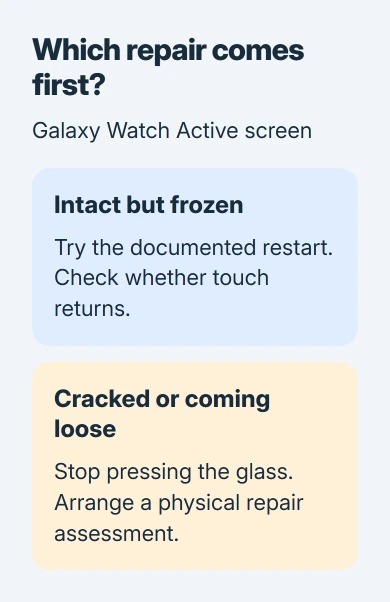
If touch returns, check for watch software updates through Galaxy Wearable. You've avoided buying a screen for a software freeze. If taps still don't register reliably, have the watch checked.
For an Active2 that never settles at its watch face, work through the startup loop before buying display parts.
For an intact Wear OS model losing charge, check watch background activity before assuming it needs a display repair.
Don't use the charging or reboot test on a visibly damaged, hot or swollen watch. Stop wearing it and ask a repair provider to inspect it. A display separating from its case needs more than an adhesive recommendation.
2. Identify the watch before choosing parts
Read the model on the watch or its original packaging. The original Galaxy Watch Active and the Galaxy Watch Active2 are different models. Give the seller the full model number instead of ordering by a similar-looking picture.
If you can still use the display, open its settings and check the watch information. If the screen is unreadable, use the paired phone's Galaxy Wearable device details or the packaging to identify it.
If a listing only says Samsung Active screen, ask for more detail before paying. Check whether it fits your exact model, includes the frame, and comes with adhesive or seals.
If the damaged device is actually an Apple model, follow the separate Apple Watch screen-lifting checks. Its opening procedure and parts are different from the Galaxy Watch Active repair described here.
3. Choose a complete assembly or a screen-only part
A screen assembly has the replacement screen already fitted to a frame. A screen-only replacement keeps your old frame, so the old display must be separated from it and the new display attached with fresh adhesive.
The frame-and-screen repair guide and the screen-only procedure cover those two routes separately. Match the procedure to the part you've bought.
I'd get a repair quote before buying either part. On an older watch, the complete price matters: display, adhesive, labor and any additional damage. A cheap loose screen doesn't tell you what the finished repair will cost.
Ask the seller about returns and whether the replacement includes the touchscreen. Compare the listing with the part you've removed before moving components over. A round display alone isn't enough to confirm a match.
4. Save watch data while the connection still works
Use Galaxy Wearable's backup controls while the phone can still communicate with the watch. On the original Active's layout, open Home > Account and backup > Back up and restore > Backup settings.
Select the items to save and tap Back up now. The Active backup instructions note that music and images on the watch aren't included.
If the paired handset has frozen too, restart the Samsung phone before trying the connection again. Restarting that phone is separate from resetting or erasing the watch.
Tell the repair shop if the screen prevents you from unlocking or backing up. Ask whether its work may erase the watch and what it needs from you. Keep account passwords private rather than putting them on a note in the parcel.
Backing up your phone doesn't replace a watch backup. Check that the watch's own backup finished, and keep the original phone available for pairing after the repair.
If a repairer requests erasure, reset the Samsung watch only after saving the watch's own backup.
5. Understand the opening sequence before doing it yourself
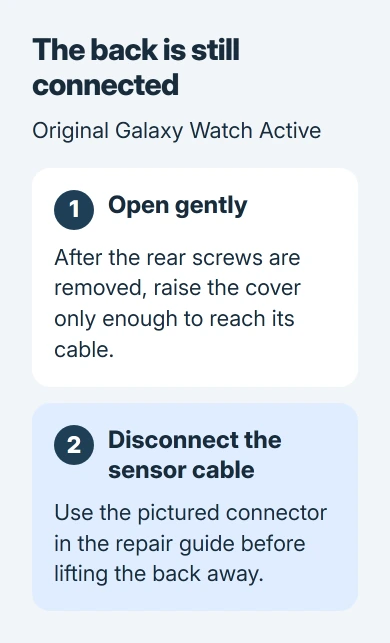
The original Active opens from the back. For the assembly repair, you'll need a Tri-point Y00 screwdriver for four rear screws, then an opening tool. A sensor cable still connects the back to the main circuit board.
Raise the cover just enough to unplug that cable with a plastic spudger, a prying tool. Disconnect the display and microphone/sensor connections before lifting out the internal assembly. Pulling the back away first can tear its cable.
With a complete assembly, you move the internal components into the new frame. With a bare screen, you still need to soften the display adhesive, separate the old screen and get your old frame ready for fresh adhesive.
Keep the guide for your chosen repair open and use its photos to identify each connector. If you can't tell which connector is which, or a part won't come free, stop and have a watch repairer finish it.
6. Check the finished repair before returning to daily use
After reassembly, check the displayed image, swipes and taps across the screen. Try both buttons, reconnect the phone and confirm that charging works. Report any dead touch area or loose edge before accepting the job.
If the replacement phone is an iPhone, check Samsung watch compatibility before trying to pair it.
Ask the repairer what sealing work was done and whether water resistance was checked. Don't treat a watch that turns on as ready for swimming. A screen replacement and a verified seal are separate parts of the repair.
If the replacement stays black or touch still fails, have a technician check the rest of the watch. The display may not be the only damaged part. Explain the original symptoms and what work has already been done.
Contact a repair service for a quote for your model and region. Whether repair makes sense depends on available parts and the frame's condition. The damage and repairer affect the price.
The Short Version
Restart an intact frozen watch first. For physical damage, identify the model, back up the watch and compare repair quotes. Match the part to the procedure: a complete assembly and a screen-only replacement involve different work.
Checked November 5, 2026.