
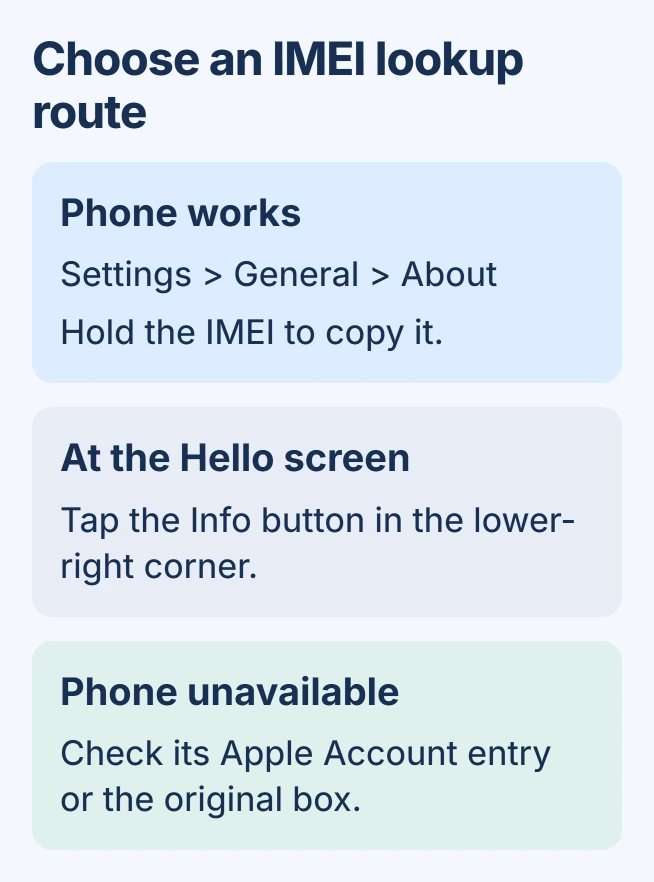
The quickest way to find an iPhone's IMEI number is Settings > General > About. Scroll to the cellular identifiers and hold the IMEI to copy it. This avoids mistyping the number into a carrier or support form.
When the phone is missing, unresponsive or not yet set up, Apple provides other lookup routes. Start with the Apple Account device list or original packaging rather than erasing the phone to reach Settings.
Copy the identifier from About
Open Settings, select General, then tap About. Scroll until the IMEI entry appears. Apple documents that location in its iPhone information guide.
Touch and hold the identifier until Copy appears. Paste it into the intended form and check the field label before submitting. The serial number, EID and phone number are different identifiers on or near the same screen.
Status: iPhone identifier locations verified in Apple's guidance on November 1, 2026. Newer phones lack the older IMEI engraving; no device identifier was collected.
Apple says other cellular identifiers can appear alongside the IMEI. If the phone shows more than one IMEI, retain the labels and ask the carrier which one its activation form requires. Do not substitute the EID just because it is nearby.
For a line that remains inactive after providing the requested identifier, use the eSIM activation checks. Locating a number does not itself activate cellular service.
Use the Apple Account when the phone is unavailable
Visit account.apple.com and enter the credentials for the iPhone's Apple Account. Open Devices and select the matching handset. Apple's identifier lookup page lists this route to its IMEI.
Compare the device's model and name before copying anything, especially when the account contains several old phones. If the sign-in address is forgotten, use the Apple Account address lookup first.
Another iPhone or iPad already signed into that account can help too. Open Settings, tap the account name, scroll through the device list and select the relevant iPhone. The page can show its identifying information.
If the handset is absent from the account list, check its original box. Read the barcode label for IMEI, making sure the packaging belongs to that specific phone rather than another identical model.
Check the initial setup screen or a connected computer
A phone waiting at the Hello setup screen does not need activation completed just to read its identifiers. Tap the Info button at the lower right. This is the startup screen, rather than the ordinary passcode screen.
A computer offers another route when it can access the connected iPhone. On macOS Catalina or newer, select the handset in Finder. Use Apple Devices for Windows, or consult Apple's iTunes steps for older setups.
In Finder, open General. Apple instructs users to click Phone Number beneath the device name, or the device model, to reveal cellular identifiers. Select the entry for IMEI rather than copying the serial number by mistake.
Follow any required unlock or trust prompt on the iPhone. A new computer connection cannot promise access through an unusable locked screen; the account and packaging routes avoid depending on that connection.
Only some older models have an engraved IMEI
Apple states that iPhone 14 and later have no IMEI/MEID engraving. A newer iPhone can therefore have a physical SIM tray with no such number on it. Use a software or account lookup instead.
Apple lists the SIM tray for iPhone 6s through iPhone 13 families and iPhone SE second and third generations. The back of iPhone 5, 5c, 5s, 6, 6 Plus and the first SE is another documented location.
Avoid removing a tray just to hunt for an engraving on an unsupported model. If using an older tray's number, confirm it belongs to that handset; a swapped tray is not reliable identification for the phone holding it.
When none of those places supplies the number
Contact Apple or the carrier with the purchase record and the identification information still available. Explain whether the phone is missing, cannot start or cannot be unlocked, since those conditions affect the usable lookup routes.
Share the IMEI through the carrier's or Apple's intended support channel. Posting a complete About-screen picture in a public discussion exposes more device and account details than a troubleshooting question needs.
The Short Version
Copy the IMEI from About when the iPhone works. Otherwise check its Apple Account entry, original box or the Info button during setup. Computer access needs the usual device permissions, and iPhone 14 or newer has no engraved IMEI to find.

Isaac Smith is the founder and editor of PC Glance, a website that covers computers, laptops, and technology. He is a tech enthusiast and a computer geek who loves to share his insights and help his readers make smart choices when buying tech gadgets or laptops. He is always curious and updated about the latest tech trends.