
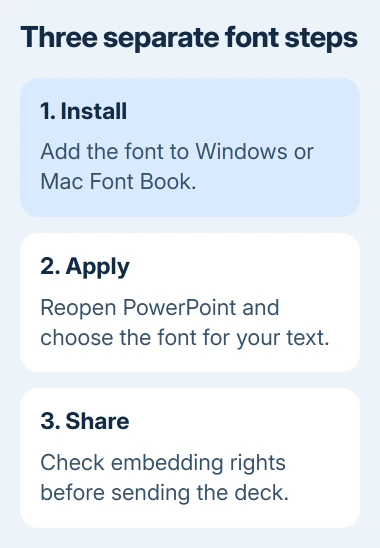
PowerPoint gets custom fonts from Windows or macOS, so adding a font means installing it on the computer first. Open the downloaded font file, install it, then reopen PowerPoint. The font should appear in the ribbon's font list.
Installation makes it available on that computer. Before sending the presentation elsewhere, also check whether the font can be embedded so the recipient sees the intended lettering.
Install the downloaded font in Windows
Download the font from its creator or another trusted distributor. If it arrives as a ZIP archive, right-click the archive and choose Extract All before opening the font file inside.
Microsoft says fonts are installed through the operating system in its Office font-installation guide. They are not imported directly into an individual PowerPoint slide.
Status: Desktop PowerPoint font installation and sharing controls reviewed November 2, 2026. Windows and Mac routes differ; no font was installed on this computer.
Double-click the extracted .ttf or .otf file, inspect the preview and select Install. Right-clicking the font file and choosing Install is another Windows route documented by Microsoft.
To check installation, search Start for Fonts and open the Fonts control panel. Look for the font's family name. A downloaded ZIP sitting in Downloads is not an installed font.
On a managed computer, ask the administrator if font installation is restricted. Repeatedly downloading the same file will not remove an organization policy.
On a Mac, add the file through Font Book
Open the downloaded font file in Finder and click Install in its preview. Font Book checks the font and adds it to the available collection.
Apple says Font Book automatically checks for errors and duplicates in its installation guide. Read any warning before keeping another version of a font already installed.
For an installed font that displays incorrectly, select it in Font Book and use File > Validate Selection. A failed validation needs a fresh file or help from the font supplier, rather than repeated PowerPoint restarts.
The font must be available to the user account running PowerPoint. Font Book's installation location can make fonts available to one user or to all users of the Mac.
Reopen PowerPoint and apply the font to text
Save open presentations, then quit and reopen PowerPoint. Microsoft documents this restart in its third-party font instructions when the app was open during installation.
Select the words on the slide, open Home > Font and choose the installed family. Check a word containing the characters the presentation needs, rather than judging the font only from its name in the list.
If it is absent, return to Windows Fonts or Font Book to confirm installation first. Then check whether another desktop application can use it. Report an app-specific failure to Microsoft with the font name and PowerPoint version.
The PowerPoint first-deck guide explains layouts and placeholders. A new font changes the lettering; the slide's layout still controls where its title and content belong.
Embed permitted fonts before sharing an editable deck
In PowerPoint for Windows, open File > Options > Save. Under Preserve fidelity when sharing this presentation, enable Embed fonts in the file, then save the presentation.
Microsoft states that Embed all characters is the better choice when others need to edit the text. Embedding only characters already used saves space but limits later typing with that font.
Not every font allows embedding. Microsoft's embedding reference explains restrictions set by the creator. A successful local install does not remove those restrictions.
If PowerPoint reports a font cannot be saved with the file, check its permitted use with the supplier or choose a font that allows embedding. Do not promise that an installed custom font will follow the deck onto every device.
For recipients who only need to read the slides, export a PowerPoint PDF and inspect its text. Keep the editable presentation separately; a PDF is not a replacement for editing the original slides.
The Short Version
Install the font in Windows or Font Book, reopen PowerPoint and apply it through Home's font list. Before sharing, check embedding permissions and the saved result on the receiving computer.

Isaac Smith is the founder and editor of PC Glance, a website that covers computers, laptops, and technology. He is a tech enthusiast and a computer geek who loves to share his insights and help his readers make smart choices when buying tech gadgets or laptops. He is always curious and updated about the latest tech trends.